Remote-Control Your Windows PC with an Android Device
Mouse Server is a tool that makes your Android smartphone a remote controller for a Windows system. The phone could be used for keyboard input, to move mouse cursor, drag and drop, zoom out/in windows, etc. There is gesture control, and support for three-finger drag drag-and-drop, and two-finger zoom out/in. Also, there is auto connect mode that lets you connect to a computer that has Mouser Server installed. By the way, this feature would work only if your Android phone supports multicast. You may even use voice input to remote-control your computer.
Turn your android phone into remote controller to control windows system
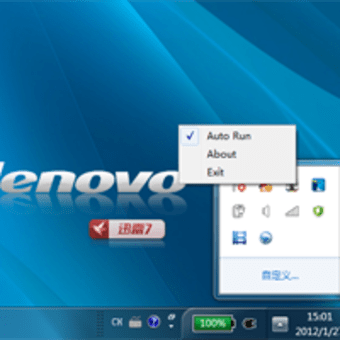
Mouse server as Windows server program, receive instructions from android phones.And android phone could control windows to move mouse cursor, keyboard input, zoom in/out windows, drag and drop, and others via mouse server.
1, It has gesture controller, it can support 2-finger zoom in/out, 3-finger drag and drop, 4-finger switch current windows and show desktop and etc.2, It has auto connect mode, if your android device support multicast, you can auto connect to the PC which has installed mouse server on it.3, easy to use interface.
1, Remote controll your PC very easily.2, Turn your android phone as remote mouse ,keyboard and touchpad, even you can remote voice input if you android phone has installed voice input method.
Laws concerning the use of this software vary from country to country. We do not encourage or condone the use of this program if it is in violation of these laws. Softonic may receive a referral fee if you click or buy any of the products featured here.